EnrolNow suggests that customers send SMS's from a dedicated number that is exclusive to your orprovides the highest level of vers the highest security and privacy.
Whilst you will not be able to use an alpha description when you send SMS, the key benefits are:
- SMS's will come exclusively from your dedicated number.
- Reduced risk of numbers being blocked by recipients (which happens with shared number pools)
- Reduced risk of fraudsters masquerading as your organisation
To alleviate the issue that the phone number is not automatically identified with an alpha description, your organisation can advise parents of their number and ask them to save the number in their phone (as your organisation's name).
A $15 charge will be added to your Transmit account each month. The payment method will be the same as for SMS costs and simply added to your account.
Here are the instructions on how to select your exclusive dedicated number.
HOW TO SELECT & ACTIVATE:
- Log in to your Transmit account
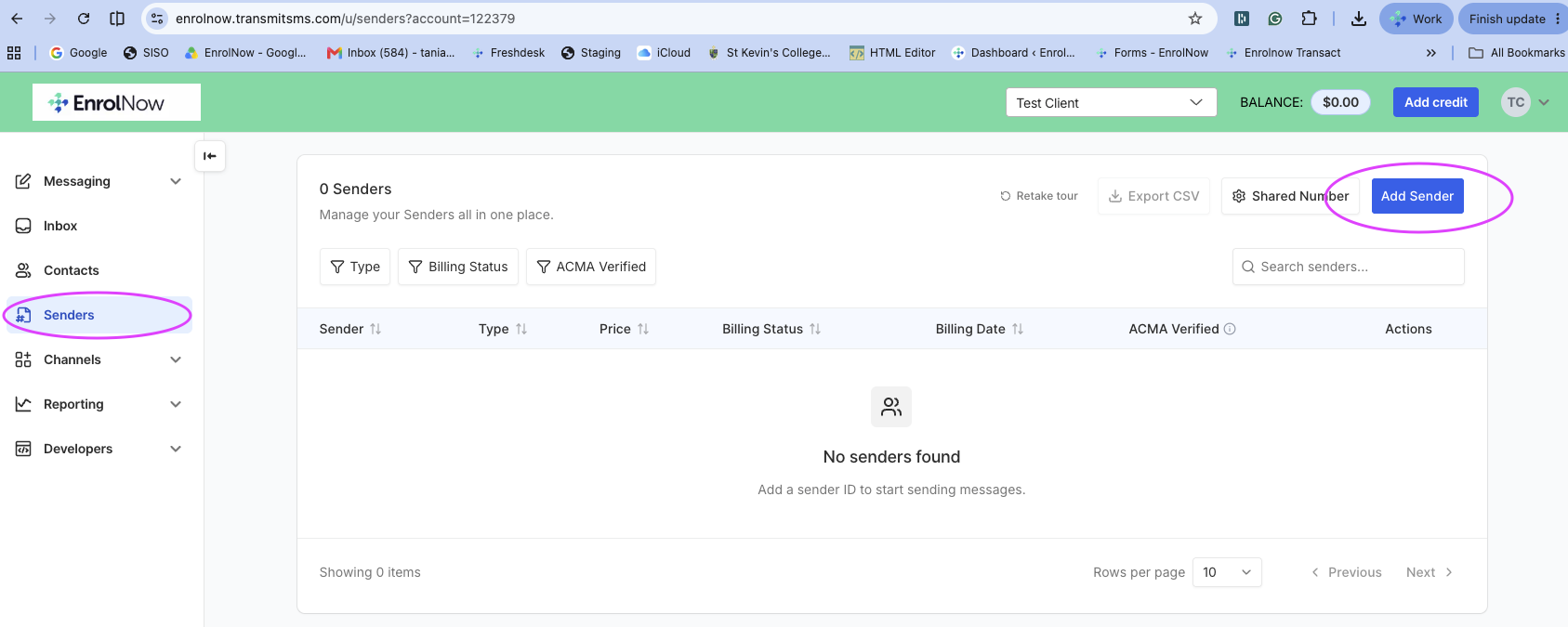
- Navigate to Senders on LHS menu > click on blue ADD SENDER button
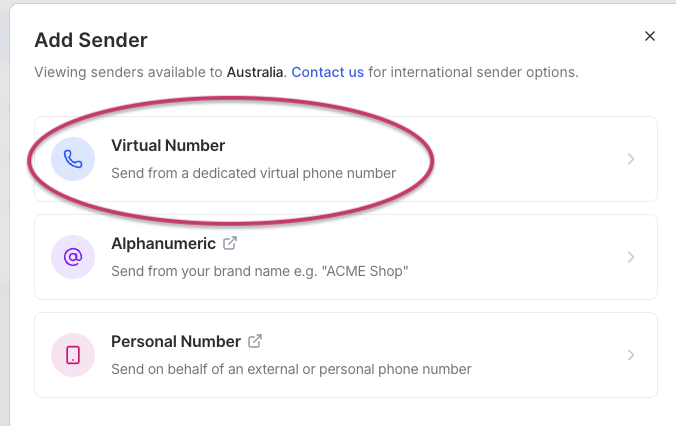
- Click on Virtual Number
- Select the your number, please note you will be charged $15 per month (from your transmit account)
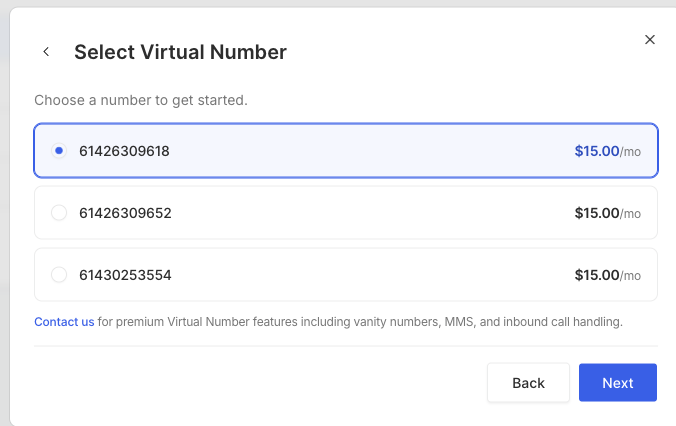
3. Click Update
Useful Articles:
Shared vs Dedicated: Why you need a Dedicated Virtual Number
SMS: ACMA Sender ID Registration
SMS: New requirements for registered Sender ID
Was this article helpful?
That’s Great!
Thank you for your feedback
Sorry! We couldn't be helpful
Thank you for your feedback
Feedback sent
We appreciate your effort and will try to fix the article