It is important to understand the difference between a bounced email and a blocked email address, as they mean different things and are resolved in different ways.
Bounced emails
A bounce happens at a point in time and indicates that a particular email you sent was unable to be delivered. A bounce relates to a single send. It does not, on its own, stop you sending to that address in future.
Bounced emails can be identified in two ways:
- through mass email statistics; or
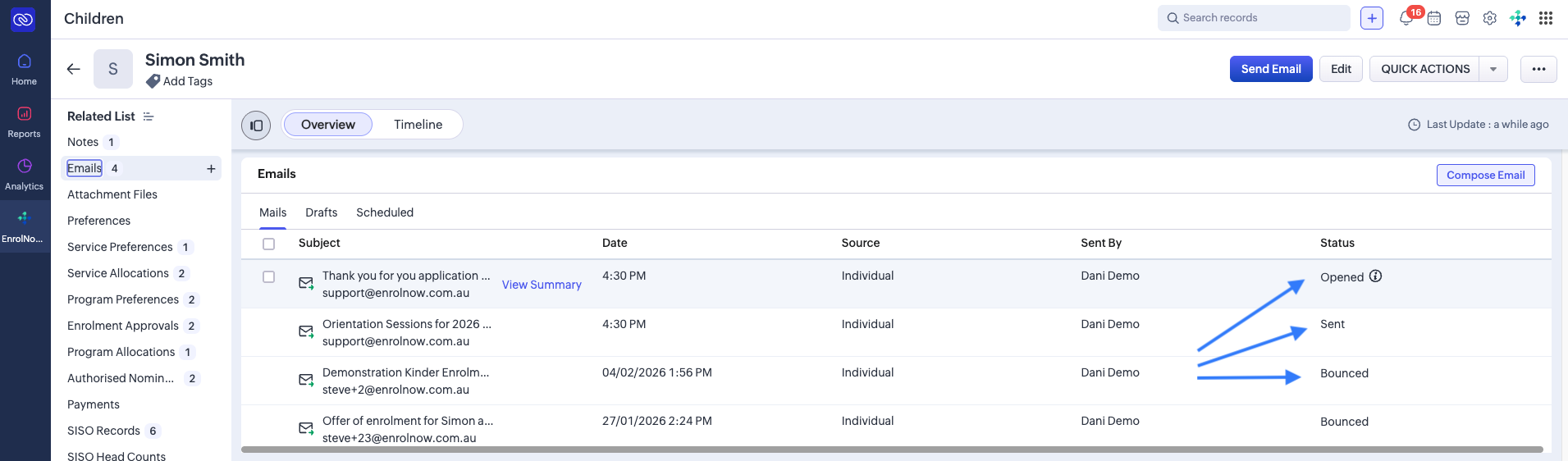
- on the child record, by hovering over "bounced" in the status column for the relevant email.
Blocked email addresses
A block applies to the email address itself. Once an address is blocked, EnrolNow will no longer send any emails to it until the block is resolved.
A block can occur for several different reasons, for example repeated bounces, the recipient's mail server rejecting messages, a full mailbox, or the parent choosing to unsubscribe (which automatically ticks the Email Opt Out field on their profile).
Because the cause varies, so does the fix:
- If a parent has unsubscribed, you can undo this yourself in EnrolNow One by unticking the Email Opt Out field on the parent profile. See the steps below.
- Other blocks need the underlying issue corrected first (such as confirming a valid email address, or that a mailbox is no longer full), after which EnrolNow can request the address be unblocked by Zoho.
Unblocking an address yourself
If the block happened because a parent unsubscribed from your emails, you can reverse this yourself directly in EnrolNow One. This is the most common self-service fix, and it takes less than a minute:
- Navigate to the child's profile.
- Click on the impacted parent's name, which will take you to the parent's own profile page.
- Locate the Email Opt Out field, untick it, then click the blue tick to the right to save the change.
- Try sending again. If the address was only blocked due to the unsubscription, it should now send. If you still can't send to the family, please contact the EnrolNow Support Team and we'll take a look.
Not sure why the address is blocked? Hover over the blocked email on the child record to see the reason, then check the article below for the recommended next step. Some reasons (like a full mailbox or an invalid address) need the family contacted first, and some need our team to request an unblock from Zoho.
For step-by-step guidance, see:
- Identifying blocked email addresses, how to find which addresses are currently blocked.
- Understanding why an email address is blocked, what each blocked reason means and the recommended next step to resolve it.
Was this article helpful?
That’s Great!
Thank you for your feedback
Sorry! We couldn't be helpful
Thank you for your feedback
Feedback sent
We appreciate your effort and will try to fix the article