The quick action buttons in EnrolNow let kindergarten users make changes to a child's enrolment that would usually be performed by families directly. For example, program preferences are usually collected via a form emailed to families. You may instead wish to add these preferences on a family's behalf — for example, if all groups except one are already full.
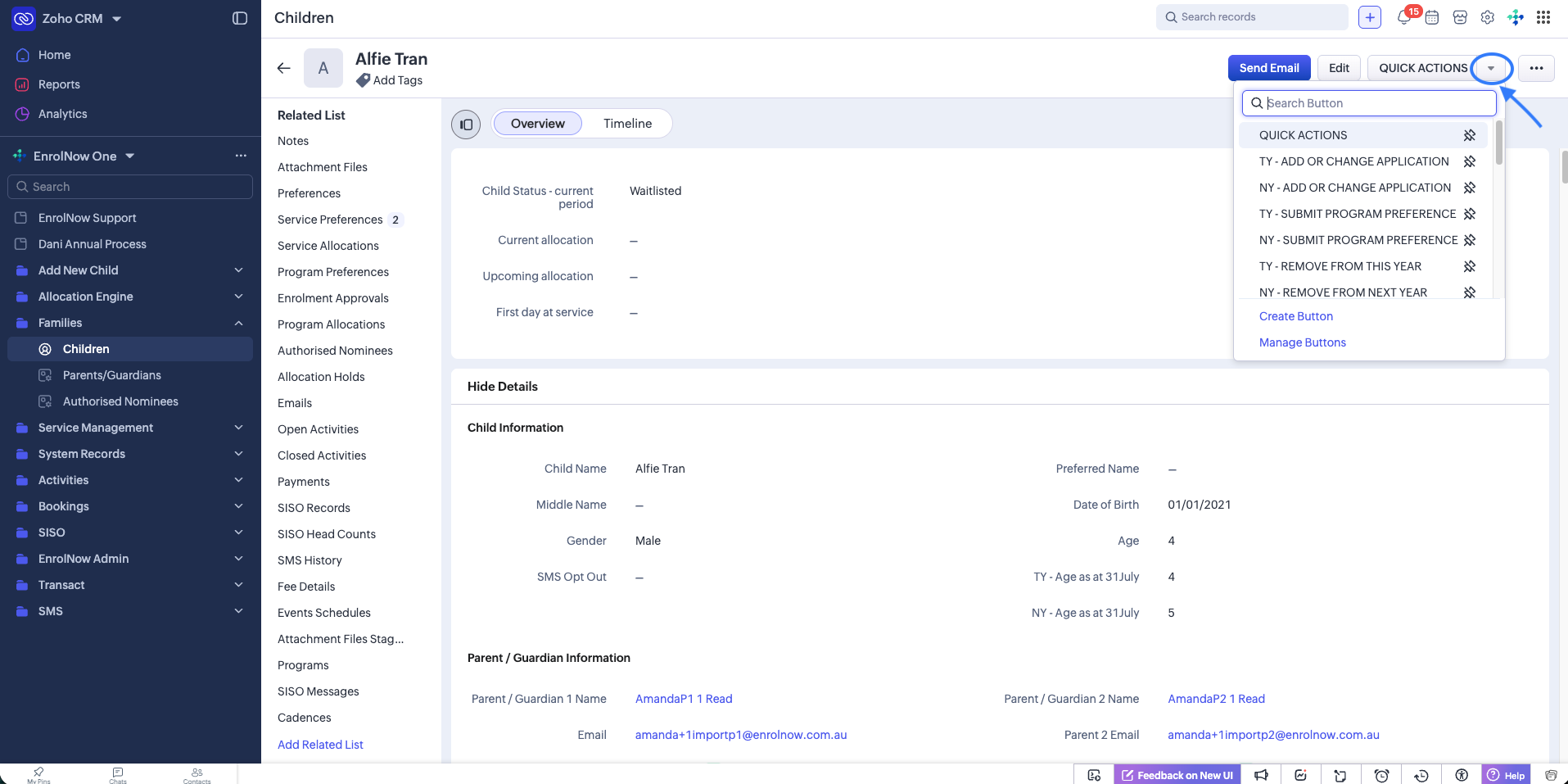
The quick actions available are customised to your service's needs. Note that TY is the abbreviation for This Year, and NY for Next Year:
| TY - ADD OR CHANGE APPLICATION | This Year — add a new registration for this year, or change an existing registration to a different program type or preferences. |
| NY - ADD OR CHANGE APPLICATION | Next Year — add a new registration for next year, or change an existing registration to a different program type or preferences. |
| TY - SUBMIT PROGRAM PREFERENCE | This Year — submit new program preferences for a child. Program preferences are required in order to allocate a child to a program. |
| NY - SUBMIT PROGRAM PREFERENCE | Next Year — submit new program preferences for a child. Program preferences are required in order to allocate a child to a program. |
| TY - REMOVE FROM THIS YEAR | This Year — remove a child from the waitlist, decline an offer, or stop an enrolment for a child. |
| NY - REMOVE FROM NEXT YEAR | Next Year — remove a child from the waitlist, decline an offer, or stop an enrolment for a child. |
Quick actions can be accessed from the child record, as shown below.
Related articles
Was this article helpful?
That’s Great!
Thank you for your feedback
Sorry! We couldn't be helpful
Thank you for your feedback
Feedback sent
We appreciate your effort and will try to fix the article