Generally, new children are added to EnrolNow when a parent completes a waitlist application form — accessed by clicking the link on your website. When they complete the form (and make payment where applicable), all submitted details automatically populate your EnrolNow One database.
In some cases you may wish to enter a child's waitlist application for them. To do this, click the Add New Child tab and complete the form. Note that this form does not require payment of any applicable fees.
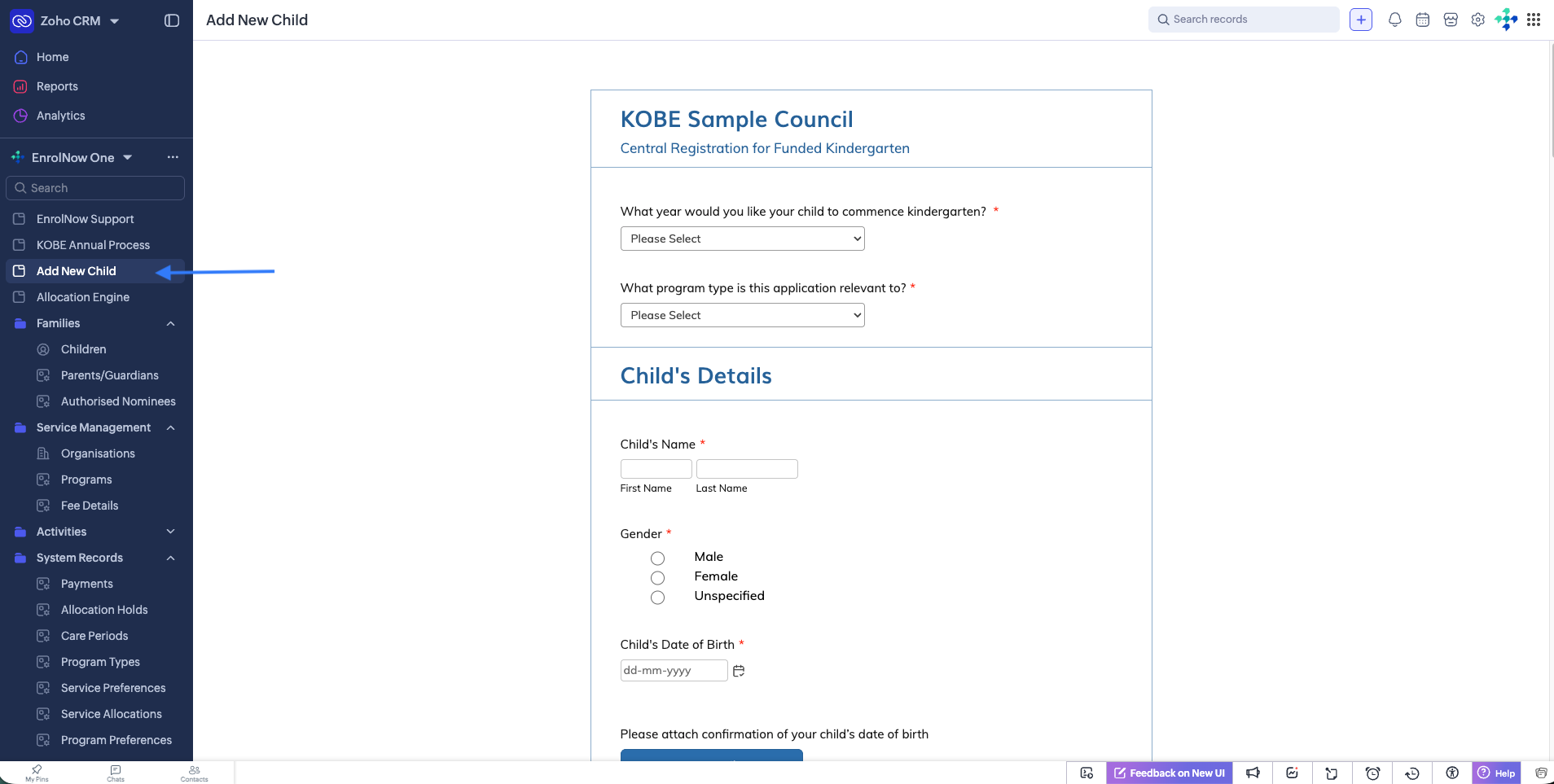
After a new child has been added, you can proceed with allocations using the allocation engine.
Was this article helpful?
That’s Great!
Thank you for your feedback
Sorry! We couldn't be helpful
Thank you for your feedback
Feedback sent
We appreciate your effort and will try to fix the article