To support Pre-Prep, the Programs module includes a field called Pre Prep Group?. This is what classifies a program for a Department of Education priority cohort, and it's the field that determines which children can see and access the program on your forms. You set it when you first create a program, and you can update it any time afterwards by editing the program.
How the Pre Prep Group? field works
Pre Prep Group? is a multi-select field with two options, P1 and P2 (Priority Cohort 1 and Priority Cohort 2). How you set it determines who the program is for:
- Left blank — a standard program, accessible to any child.
- P1 only — accessible only to children in Priority Cohort 1.
- P2 only — accessible only to children in Priority Cohort 2.
- P1 and P2 (both selected) — accessible to children in either priority cohort.
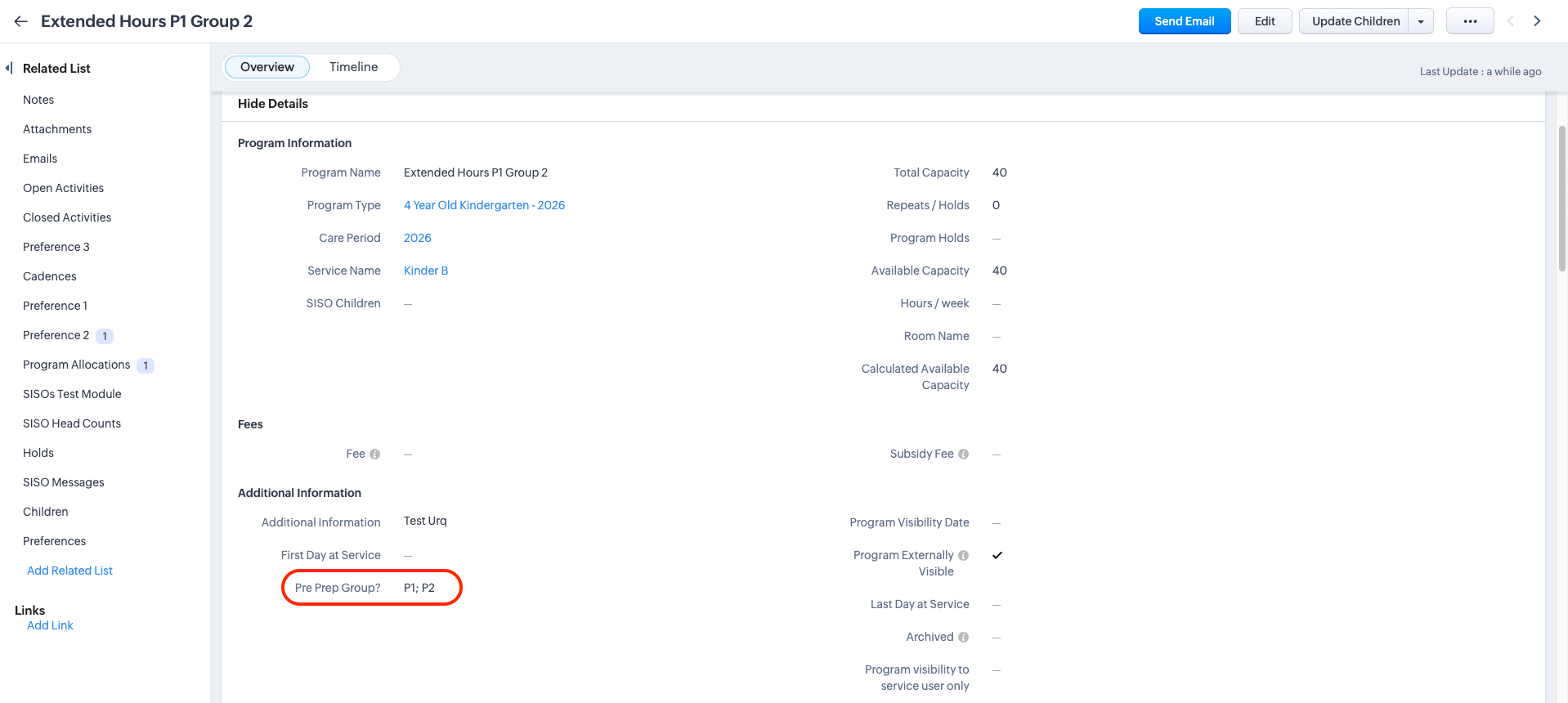
A program's classification works hand in hand with each child's calculated cohort: a child can only see a Pre-Prep program if their own Pre-Prep Priority Cohort matches the program's Pre Prep Group.
For how a child's cohort is calculated, see Updating the Pre-Prep Priority Cohort for a Child.
Important Note: If your service's Pre-Prep display policy is set to "Only", eligible children are shown only Pre-Prep programs. This means that if you haven't classified and activated a suitable Pre-Prep program for their cohort and care period, those children will see no programs at all. If you're not sure how your Pre-Prep display policy is set, or you'd like it changed, get in touch with our team — it's a setting we manage for you.
Setting it when creating or editing a program
The Pre Prep Group? field sits alongside the other program details, so you set or change it the same way you would any other:
- When creating a program, set the Pre Prep Group? field as part of the program details — see Create a new program individually or in bulk.
- To change a program's classification later, edit the program and update the field — see Editing Programs.
Related articles
- Updating the Pre-Prep Priority Cohort for a Child
- Create a new program individually or in bulk
- Editing Programs
Was this article helpful?
That’s Great!
Thank you for your feedback
Sorry! We couldn't be helpful
Thank you for your feedback
Feedback sent
We appreciate your effort and will try to fix the article