Families sometimes submit an Expression of Interest (EOI) or a future-year Registration that no longer applies eg. if they move away, change plans, or no longer wish to remain on the list.
This article explains the correct way to remove a future-year EOI/Registration, using the Deactivate option available on the Service Preference record.
How to deactivate a future-year EOI or Registration
- Open the Child record.
- In the related list items on the left hand side of the screen go to Service Preferences.
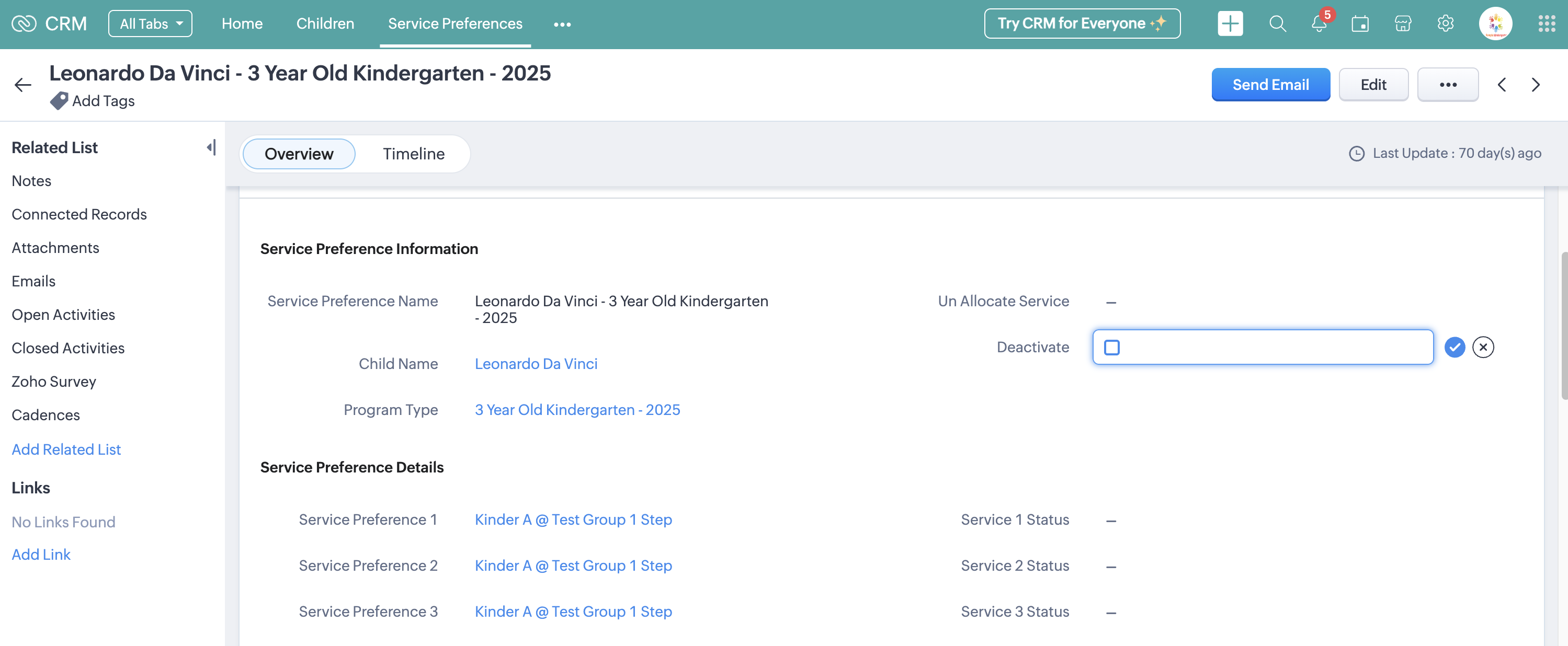
- Open the Service Preference related to the year that you want to remove.
- Select the Deactivate field and save the change with the blue tick
Was this article helpful?
That’s Great!
Thank you for your feedback
Sorry! We couldn't be helpful
Thank you for your feedback
Feedback sent
We appreciate your effort and will try to fix the article